

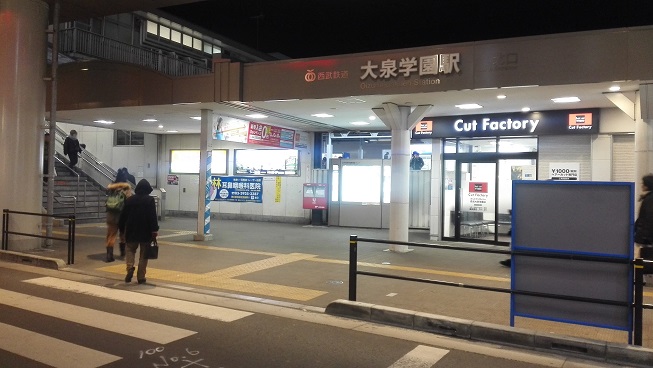
テニスをしに大泉学園にやって来たてに!
海老名から東京ならそんな遠くないと思いきやそんな事も無かったてに。
夜のテニスはなるべく近辺で済ませてきた私てに。
帰りが大変だし、寝るのは23時だし、その前に寝ちゃう日も多いし、次の日に響くし、てに。
それでもまあ、練馬だろうと野田だろうと駆けつけちゃうよね僕らは。てに。
という事でゴンちゃんが企画した社会人の為のテニスレッスン、その体験に参加してきました。
トップレベルの技術を今まで沢山動画で出してきたゴンちゃんですが、なんと直接みっちり教えてくれるというとんでも企画。
一週間前にこの企画が発表された時、丁度大会予選負けでうわー・・・ってテンション落ちてたんで、思わず飛びついちゃいましたね。
助けてゴンちゃん!!!!!
・・・って引用リツイートしたら「どうしましたか!?」とまさかの反応。
迂闊な救援要請が届いちまったぜ。
そう、引用リツイートって相手に届くのね・・・。
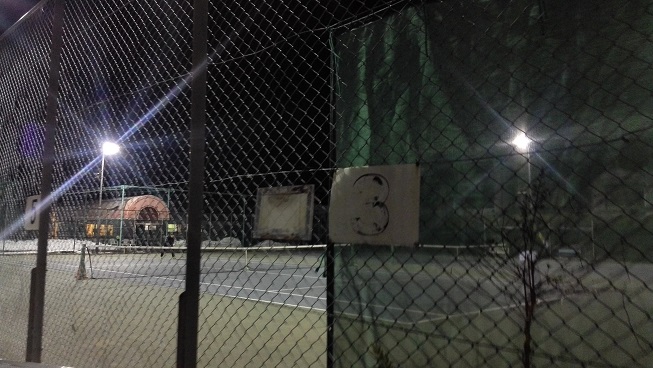
今回の練習の会場はタウンテニス大泉学園てに。
たうてに君もいるテニスクラブてにね。
初めての生ゴンちゃんのテニスは当然強烈。
ストロークがおかしいもんね、スイングがド派手なしばき具合。
ボールはなんか唸ってて未知の世界。
唸りながら高い弾道で真っ直ぐ迫ってきて、何故か全然バウンドしようとする気配が見えない。
いつ落ちるかな?いつ落ちるかな!?落ちろよ!であっという間のスピードで迫り、急激に落ちて、跳ねるとんでも魔球。
当て勘で打つしか無ぇ・・・。
こんなお方に付きっ切りで教えて貰えるなんて言われたら、そりゃ殺到しますよ希望者。
同い年でテニスの普及に努めるゴンちゃん。
今回の企画も同じ社会人としてのテニスへの悩みが発端であったり、レッスンだけでなく人の繋がりを重視していたりと、その視野の広さにただただ頭が下がる。
自分の持つトップクラスの技術とテニスの楽しさを多くの人に伝えてくれている、母校の後輩達までもがゴンちゃんの事を知っているのだからとんでもない影響力。
レッスンも落ち着きがありながらも多くの情報を丁寧に解説してくれる話し上手。
一時募集停止になるぐらい希望者がいるみたいですが、はたしてゴンちゃん一人で受け入れ切れるのだろうか・・・彼にテニスを助けてほしいって思っている人はとても多いと思う。
参加者に寄り添ってやっていくというこのレッスン企画、まさに大仕事だ。
凄い人だよなぁ・・・
そんな人とレッスン後は懇親会で飲んだり、帰り一緒だったり・・・ちょっと気安過ぎません!?(汗
強くて話し上手で頼れるゴンちゃん、1回のレッスンでしたが色んな事を学べました。












замена кнопок громкости на телефоне чистка iphone после воды великий новгород
screen capture
The Best Screenshot Utility for Windows 10 & 11
If screenshots are part of your daily workflow, the built-in Windows Snipping Tool quickly starts to feel limiting. Extra steps, no cloud upload, no instant links, and slow interaction make it unsuitable for today’s workflows. A modern screenshot tool must stay out of the way, work fast, and focus on a single process: capture, upload, and share.
This lightweight screenshot tool for Windows 10 and 11 is built exactly for that. Press PrtScn, select any region of the screen, release — and the screenshot is already uploaded. The sharing link is placed in your clipboard automatically. No save prompts, no directories, no manual file handling.
Region capture is precise and predictable. A clear crosshair selector provides pixel-accurate selection, making it easy to capture UI elements, code fragments, charts, or partial screens — more efficient and reliable than Windows Snipping Tool.
Full-screen capture is equally straightforward. Use Shift + PrtScn to capture the entire desktop instantly. The result is a full-resolution screenshot perfect for documentation, presentations, and bug reports, with no interruptions or popups slowing you down.
The primary benefit is immediate cloud upload. Each screenshot is uploaded automatically, and the link is available in milliseconds. You can paste the link directly into chats, emails, or support tickets without interacting with the file system or external image hosting services.
The application runs silently in the system tray and is designed to stay out of your way. Memory consumption remains under 50MB of RAM, startup is instant, with an installer that is only 2MB. Compared with heavier tools such as Greenshot, Lightshot, and ShareX, the performance and responsiveness difference is obvious immediately.
Privacy is handled responsibly. No ads, no analytics, no tracking, and no background data collection. Screenshots frequently include sensitive data, and this tool handles them appropriately — and no unnecessary processes running behind the scenes.
Hotkeys can be fully customized. You can assign PrtScn, Ctrl+Shift+S, or any shortcut you want, and configure image quality or behavior without bloated settings panels or cluttered menus.
Windows Snipping Tool functions, but it stops after capture. It provides no cloud workflow, no instant sharing, and no performance optimization. This tool replaces it by focusing on what truly matters: capturing information and sharing it immediately.
If screenshots are part of your daily work in development, support, remote work, or documentation — speed and simplicity are essential. A modern screenshot tool should feel like a native system feature, not a standalone app.
screenshot tool Best Screenshot Tool for Windows 10 & 11 If taking screenshots is part of your everyday work the standard Windows Snipping Tool soon shows its limitations. Additional steps lack of cloud uploads no instant links and slow interaction make it impractical for modern workflows. A modern screenshot tool should be unobtrusive fast and designed around a single streamlined flow: capture upload share. This minimal screenshot tool for Windows 10 & 11 is built specifically around this idea. Hit PrtScn choose any screen area release and the screenshot is uploaded immediately. The sharing link is placed in your clipboard automatically. No save prompts no directories no manual file handling. Area capture works precisely and predictably. A simple crosshair selector enables pixel-level accuracy making it easy to capture UI elements code fragments charts or partial screens — faster and more dependable than the default Snipping Tool. Capturing the entire screen is just as easy. Use Shift PrtScn to capture the entire desktop instantly. The output is a full-resolution image suitable for documentation presentations or bug reports with no interruptions or popups slowing you down. The main advantage is instant cloud uploading. Every screenshot is uploaded automatically and the link is available in milliseconds. You can paste the link directly into chats emails or support tickets without touching the file system or third-party image hosts. The application runs quietly in the system tray and is built to stay unobtrusive. Memory consumption remains under 50MB of RAM startup is instant and the installer size is just 2MB. When compared to heavier alternatives like Greenshot Lightshot or ShareX the performance and responsiveness difference is obvious immediately. Privacy is treated properly. No advertising no analytics no tracking and no background data collection. Screenshots often contain sensitive information and the application treats them with proper care — and no unnecessary processes running behind the scenes. Keyboard shortcuts are fully customizable. You can map PrtScn CtrlShiftS or any custom key combination and fine-tune image quality and behavior without heavy settings panels or cluttered menus. The built-in Windows Snipping Tool works but it stops at capture. It lacks cloud integration instant sharing and speed optimization. This tool replaces it by focusing on what actually matters: capturing data and sharing it without delay. If you take screenshots every day — for development support remote work or documentation — speed and simplicity are mandatory. A modern screenshot tool should feel like a native system feature not a standalone app.
fc777 login offers the best slot machines and generous bonuses for all players. Scientists persist in investigating additional enhancements and uses.
PSYCHEDELICS DISPENSARY TRIPPY 420 ROOM operates as a dedicated online psychedelics dispensary designed to provide consistently high-grade medical products across multiple categories. Before purchasing psychedelic cannabis stimulant dissociative or opioid products online users are provided with a clear service structure including product access delivery methods and assistance. The platform lists over 200 products across multiple formats. Shipping costs are calculated according to package size and destination offering both regular and express delivery options. All orders are backed by a hassle-free returns policy with particular attention to privacy and security. The service highlights guaranteed worldwide stealth delivery with no added fees. Every order is fully guaranteed to ensure uninterrupted delivery. Available products include cannabis flowers magic mushrooms psychedelic items opioid medication disposable vapes tinctures pre-rolls and concentrates. Each item is listed with clear pricing and visible price ranges for products with multiple options. Informational content is also available such as guides like “How to Dissolve LSD Gel Tabs” as well as direct options to buy LSD gel tabs and buy psychedelics online. TRIPPY 420 ROOM operates from the United States California and offers multiple communication channels including phone WhatsApp Signal Telegram and email. The service highlights 24/7 express psychedelic delivery positioning the dispensary around accessibility discretion and consistent customer support.