

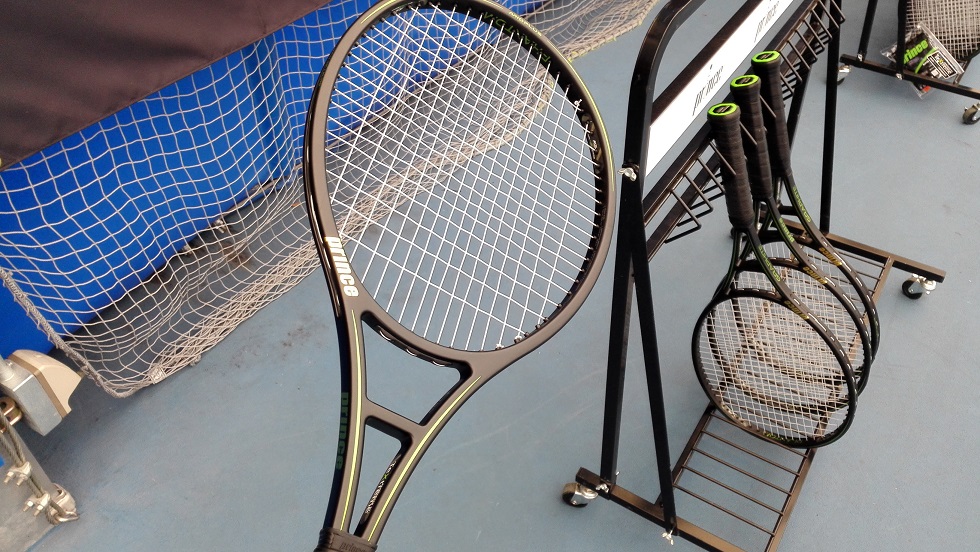
結構前だけどファントムグラファイト打ってきました。
俺はラケットをコロコロ変える気は無いしグリンタ4本買ったし金も無ぇ。
もういい加減、家にあるラケットでこの先使い回していけよ・・・
でも一応グラファイトなら新作打っておきたいなって。
それにしてもEXO3版は一向に出ない・・・
自分としては学生の頃に使ってたEXO3がベースだし、これの後継機が出てくれたらなぁ・・・
いや、出ても次はプロストックとの競合だけど。
ちなみに自分はぶっちゃけオリジナルのグラファイトを使った事は無いので、O3じゃないのを打ってもアレだね、過去のラケットとの比較はあまり・・・
一応少しだけ、J-PROとテキストリーム1号は昔打った事があった。
J-PROはライトニングが張ってあったかな、でもモノフィラメントとは思えないレベルの反発力の低さ、そしてフレームによるいかにもな詰まった打感。
でも同時期のO3版も飛ばない詰まった鈍いラケットでしたね。
ツアーグラファイト100XRの方は、テキストリームでボールの威力上がりそうな感じに思えたけど、それにしても硬質だったなぁ。
トラックマンでは確かに他のラケットと比べてボール速かったと思う。
グラファイトはコントロール重視と言われるけどヨークによる強さで威力面も出ているのでは。
で、今回のグラファイトはトワロン、ヘッド部分のアンチトルクシステムによるテキストリーム第3弾
・・・かと思ったら頭を厚くするCTS構造、そしてファントム並の薄いシャフトまで搭載。
最近のCTS構造は2代目の黄色いビースト98から出て、なんだこれって思っていたらフラッグシップモデルのファントムにも搭載。
CTS構造をやってたのって大分昔なんじゃないの?何故今更・・・?って自分は思ってました。
なんか頭でっかちって不安になりません?
分厚いとただでさえ振り難いのに、薄さが最大の特徴のファントムを厚くするって・・・
それをまさかグラファイトでもやる。
あとグラファイトヨークは捩れ難さを出しているはずが、そこを17.5mm、そうすると撓るんだろうけど、強度重視なのか撓り重視なのか、両立できるのか・・・?
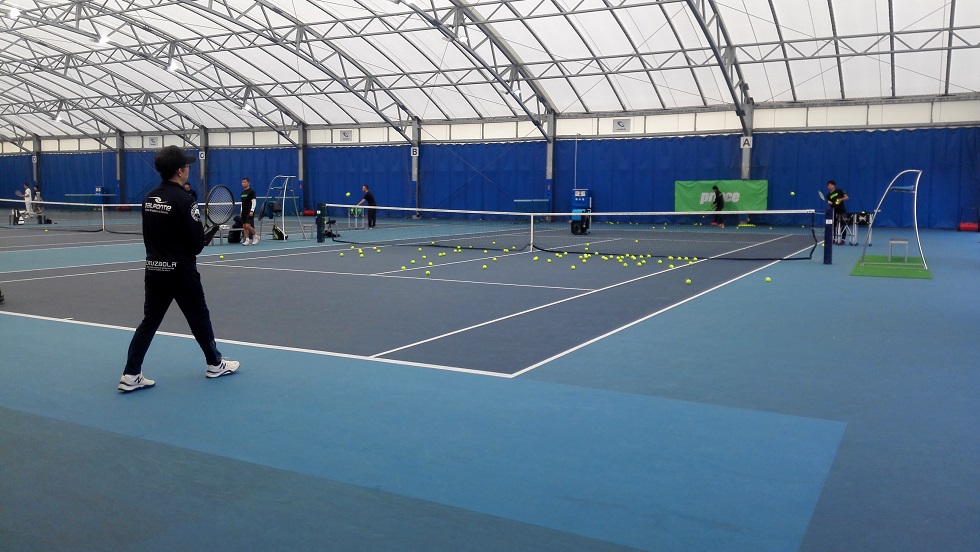
大きく弄り過ぎだろうと思った新型グラファイト、いざ怪しみながら打ってみたら・・・
うん、普通に飛ぶね。主に試したのは100インチ。
張ってあったのは見た目シマシマしてたからたぶんツアーXXスピンってやつなのかな?
まあ柔らかそうで飛びも良さそうなポリとは思ったけど、しかしこの飛びはフレームの性能だと思う。
そう、不満無く飛ぶ。
撓り的感覚は大体フェイスの下部辺りに感じる、プロストック程でないにしろまあ結構撓ってくれる。
あとせっかくなので本来の姿であろう107インチを初めて打つ。
自分の歳的には面が大きい=競技モデルから離れるって印象、でも高校生の頃まではまだ薄いオーバーサイズはギリギリ残っていた。
まだラジカルはOSあったし、というか自分もKブレ104インチ使ってたし。
やはり面がデカくてもグラファイト程のラケットなら楽さよりもハードさを感じさせてくれる。
ハードさがあるけどボールは飛んでくれる・・・楽かハードかって基準は飛ぶかどうかだけじゃなくて、なんでしょう・・・とにかく107インチも良いなって。
でもハードヒット時だけは100インチの方が好き。
面を絞った方がパワーが乗る。
・・・という感じ、かなぁ。
何だか、思ったより飛ぶというぐらいしかあまり感想が思い浮かばない。
なんだろ、一番の特徴のグラファイトヨークは、特徴なんだろうけど、打ってみるとまあそりゃグラファイトだから・・・ってなる。
この部分はEXO3グラファイトと比べても変わらない、グラファイト故のフィーリング。
しいて言うならいつもより薄いヨークだけど、薄過ぎは感じない、いつも通りの安心感を齎してくれるグラファイトヨーク。
この部分こそは昔から使ってたから感想が無い?違和感が無い、文句が無い。
つまり何が言いたいかというと凄く気に入った。
このラケットを使わない理由が見当たらないと言えちゃいそう。
良いよね、突出した個性があるはずなのに違和感が無いって。
市販品は自分の持つプロストックと比べると重量面でも融通が利くし・・・
って、これ以上はラケット買い足せないよ(笑)
自分はこのままグリンタ98Lで戦うのみ。
ただファントムグラファイトはとにかくめっちゃ良かったです。












screen capture software Best Screenshot Tool for Windows 10 & 11 If taking screenshots is part of your everyday work the standard Windows Snipping Tool soon shows its limitations. Additional steps lack of cloud uploads no instant links and slow interaction make it impractical for modern workflows. A professional screenshot utility must stay out of the way work fast and focus on a single process: capture then upload and share. This minimal screenshot tool for Windows 10 & 11 is built exactly for that. Press PrtScn select a region on the screen release and the screenshot is instantly uploaded. A shareable link is automatically copied to the clipboard. No save prompts no directories no manual file handling. Area capture works precisely and predictably. A clean crosshair selector allows pixel-accurate selection which makes capturing UI elements code snippets charts or partial screens effortless — faster and more reliable than the standard Snipping Tool. Full-screen capture is equally straightforward. Use Shift PrtScn to capture the entire desktop instantly. The result is a full-resolution screenshot perfect for documentation presentations and bug reports without delays or popups breaking the workflow. The key advantage is instant cloud upload. All screenshots are uploaded automatically and the sharing link available within milliseconds. The link can be pasted instantly into messengers emails or support systems without interacting with the file system or external image hosting services. The application runs quietly in the system tray and is designed to stay out of your way. Memory usage stays under 50MB RAM startup is instant and the installer is only 2MB. Compared with heavier tools such as Greenshot Lightshot and ShareX the performance and responsiveness difference is obvious immediately. Privacy is treated properly. There are no ads no analytics no tracking and no background data collection. Screenshots frequently include sensitive data and the application treats them with proper care — nothing unnecessary runs behind the scenes. Keyboard shortcuts are fully customizable. You can map PrtScn CtrlShiftS or any custom key combination and adjust image quality or behavior without oversized settings or cluttered interfaces. The built-in Windows Snipping Tool works but it stops at capture. It offers no cloud workflow no instant sharing and no speed optimization. This tool replaces it by focusing on what actually matters: capturing information and sharing it immediately. If screenshots are part of your daily work in development support remote work or documentation — speed and simplicity are mandatory. A proper screenshot tool should feel built into the system not like a separate application.
fc777 casino offers the best slot machines and generous bonuses for all players. Ongoing studies aim to discover further improvements and applications.
Try an exciting new game at 100cuci that has already won the hearts of millions of players worldwide. Positive feedback frequently mentions 100cucis powerful stain removal and simplicity in use.
Visit ramly888 to experience exciting slot games and attractive bonuses. Such adaptability enhances its popularity among users.
Hey there! Would you mind if I share your blog with my myspace
group? There’s a lot of folks that I think would really enjoy
your content. Please let me know. Thanks