

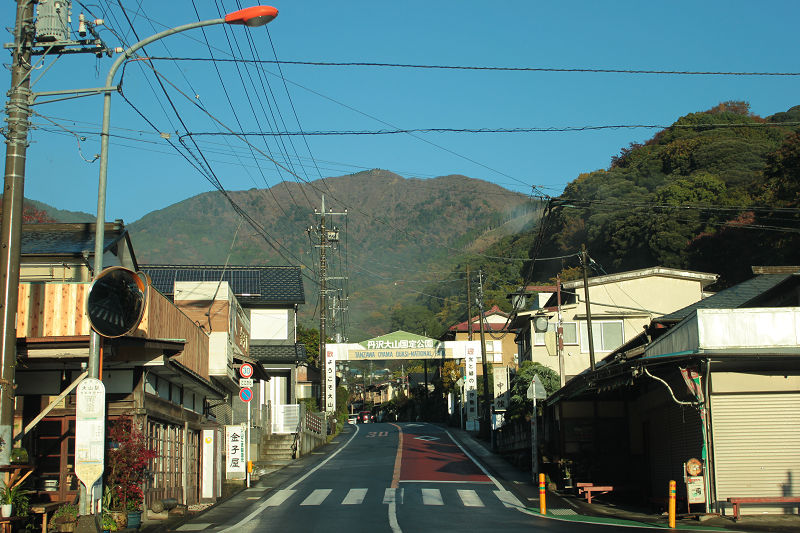
日曜、父と早朝の大山へ。
朝は町中が霧に包まれていてどうなる事かと思ったものの、伊勢原に入ると嘘みたいに晴れていました。
山中まであのレベルの霧だったら洒落にならなそうと思う反面、見てみたかったなという気持ちもあってやや残念、それでも良い天気。
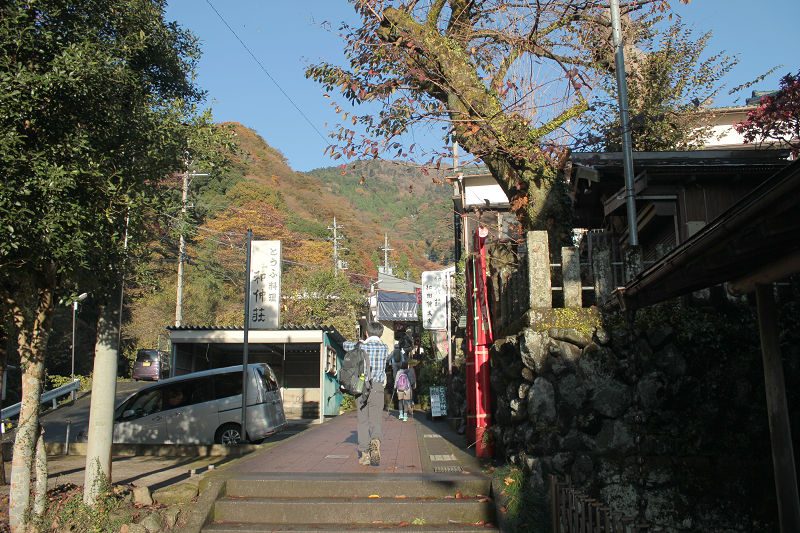
県央で育っていたら誰しも一度は来ていそうな大山は、自分にとっては何度か歩いた道。
この日は頂上までは登らず目標は阿夫利神社まで。
気が付けば11月も折り返し、そろそろ冬で紅葉の季節と言えなくなってしまう。
今年は紅葉を見た記憶が全然無く、危うく見逃してしまうところでした。
それにしても、秋終わりかけの11月中旬に見ごろって何だか釈然としない・・・。
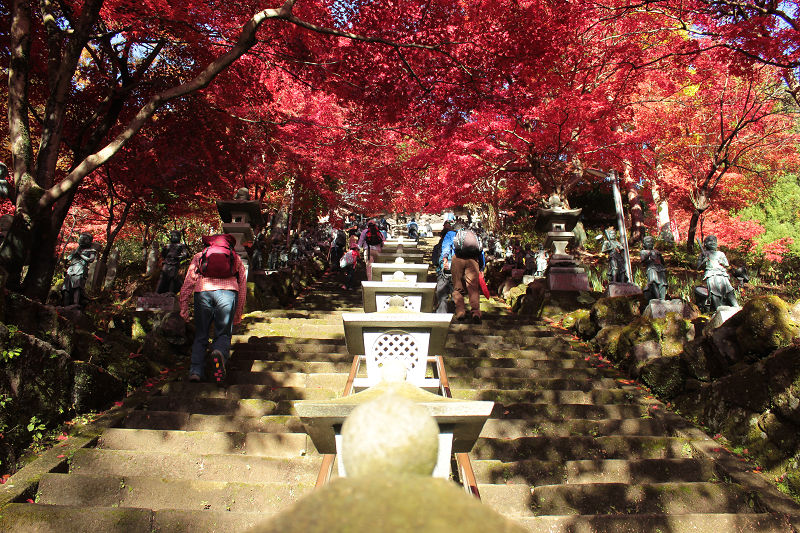
大山寺の階段まで来ると見事な紅葉が出迎えてくれました。
いやはや、思っていた以上に赤い。
階段が急なのもあって見上げると圧巻の光景でした。
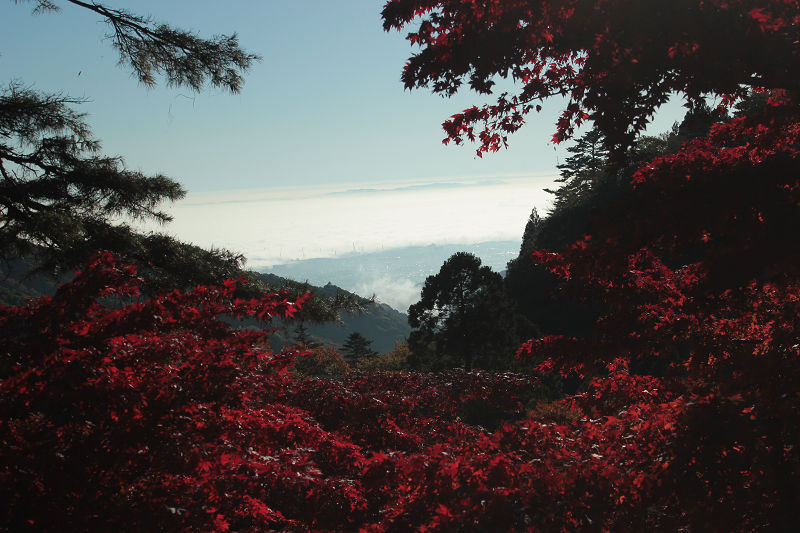
8時半、大山から町を見下ろすとやはり霧が凄い。
やはり伊勢原市だけが晴れている様子(見える鉄塔的にたぶん伊勢原市)
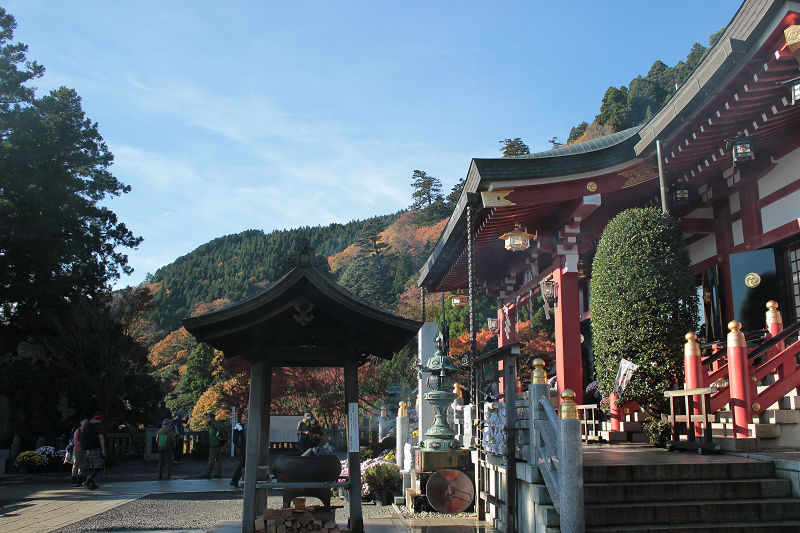
阿夫利神社到着。
二十歳を超えて改めて大山を登ってみると、新たな発見もあり良かったです。
意外に良いかもな登山、しばらく試合なんて無いし、この冬は登山とカメラを楽しむついでに体力作りも目論むのも良いかもしれない。
しかしこの後に早朝登山でイケイケなテンションでテニスをしに行ったら案の定スタミナ切れ。
き、気持ちがついてこない・・・!












Разблокируйте свежий рівень фантазії з сервисом раздеватор! Это приложение активує мощь AI, щоб зробити обробку фотографий легким і доступним.
Легко роздягніть дівчину на фото задарма з роздиватором! Neo раздеватор дозволяє роздягнути по фото за секунди.
Мгновенно улучшайте кольори, корректируйте світло, маскируйте брак і додавайте захоплюючі ефекти, які оживляють ваші фото.
Досконало працює для новичков і опытных фотографов, дозволяючи створити самые смелые концепції за лічені секунд!
Наши социальные сети:
Heylink: https://heylink.me/razdevator/
Youtube: https://www.youtube.com/@razdevator-m5q
Pinterest: https://ru.pinterest.com/razdevator/
Tumblr: https://www.tumblr.com/razdevator
Behance: https://www.behance.net/razdevarazdeva
Flickr: https://www.flickr.com/people/razdevator/
Disqus: https://disqus.com/by/razdevator/about/
Coub: https://coub.com/razdevator
Telegra.ph: https://telegra.ph/razdevator-12-19
500px: https://500px.com/p/danyloes1
Experience thrilling gameplay and rewarding moments with [url=https://deepai.org/profile/777bet/]777bet online casino[/url], where each spin brings fresh excitement and new possibilities to win.
New users often benefit from welcome bonuses, while existing players enjoy regular promotions and loyalty rewards.
Разблокируйте другой рівень креативу з сервисом роздіватор! Ця програма активує потужність искусственного интеллекта, щоб зробити редактирование знімків легким і доступним.
Миттєво роздягніть девушку по фото безкоштовно з роздиватором! Neoроздеватор дозволяє роздягнути фото за секунди.
Легко налаштовуйте цвета, балансуйте освещение, прибирайте брак і накидайте крутые эффекты, які преобразят ваші снимки.
Досконало працює для любителей і професіоналів, дозволяючи створити зухвалі идеи за лічені секунд!
Наши социальные сети:
Heylink: https://heylink.me/razdevator/
Youtube: https://www.youtube.com/@razdevator-m5q
Pinterest: https://ru.pinterest.com/razdevator/
Tumblr: https://www.tumblr.com/razdevator
Behance: https://www.behance.net/razdevarazdeva
Flickr: https://www.flickr.com/people/razdevator/
Disqus: https://disqus.com/by/razdevator/about/
Coub: https://coub.com/razdevator
Telegra.ph: https://telegra.ph/razdevator-12-19
500px: https://500px.com/p/danyloes1
[url=https://casino-fc777.com/]fc777 bet[/url] offers the best slot machines and generous bonuses for all players.
Exploring fc777 reveals a complex and fascinating subject.
screen capture Best Screenshot Tool for Windows 10 & 11 If screenshots are a regular part of your workflow the built-in Windows Snipping Tool quickly starts to feel limiting. Extra steps no cloud upload no instant links and slow interaction make it inefficient for modern use. A modern screenshot tool should be unobtrusive fast and designed around a single streamlined flow: capture then upload and share. This lightweight screenshot utility for Windows 10 and 11 is designed precisely for this purpose. Hit PrtScn choose any screen area release and the screenshot is uploaded immediately. The sharing link is placed in your clipboard automatically. No save dialogs no folders no manual uploads. Region capture is accurate and consistent. A simple crosshair selector enables pixel-level accuracy allowing easy capture of interface elements code fragments charts or partial screens — faster and more dependable than the default Snipping Tool. Full-screen capture is equally straightforward. Use Shift PrtScn for immediate full desktop capture. The result is a full-resolution image perfect for documentation presentations and bug reports without delays or popups interrupting the workflow. The primary benefit is immediate cloud upload. Every screenshot is uploaded automatically and the sharing link available within milliseconds. You can paste it directly into messengers emails or support tickets without dealing with files or third-party image hosts. The application runs quietly in the system tray and is built to stay unobtrusive. Memory consumption remains under 50MB of RAM launch time is virtually instant and the installer size is just 2MB. When compared to heavier alternatives like Greenshot Lightshot or ShareX the improvement in speed and responsiveness is instantly noticeable. Privacy is treated properly. No advertising no analytics no tracking and no background data collection. Screenshots often contain sensitive information and this tool handles them appropriately — with nothing unnecessary running in the background. Hotkeys can be fully customized. You can map PrtScn CtrlShiftS or any custom key combination and configure image quality or behavior without heavy settings panels or cluttered menus. The default Windows Snipping Tool works but only handles capture. It provides no cloud workflow no instant sharing and no performance optimization. This tool replaces it by focusing on what truly matters: capturing information and sharing it immediately. If screenshots are part of your daily work in development support remote work or documentation — speed and simplicity are mandatory. A proper screenshot tool should feel built into the system not like a separate application.