

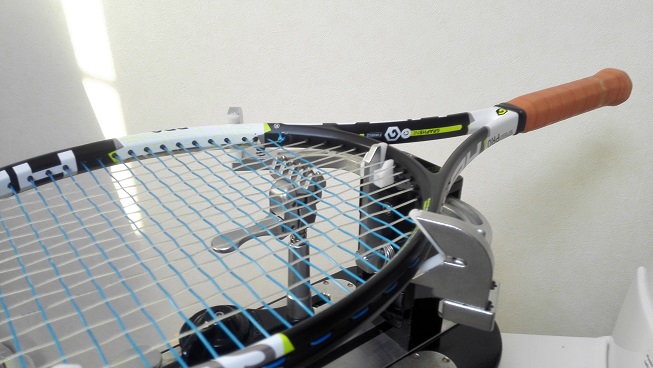
昨日の朝の一本。
先輩のラケットを張る。
今度はスピードを持ってきた。
この前3本入手したEゾーンで決めたって聞いたような気がしたのですが。
というかその後に「最高のラケットを見つけた」とか言ってベルダスコラケットで草大会優勝してた気がしたのですが!
優勝したのにまだ気に入らないんですか!先輩!
ともかく最近の先輩の定番となりつつあるメインVSチーム・クロスポリツアースピンの鬼ブリッドを手に先輩は埼玉へと走り去っていった。
午前は母校の練習でUコーチに久々に会う。
夏の鎌トー以来か。
現役やテニス続けている後輩達を大会に引き摺りだしたいと思っていたが、JOPにガンガン出ているUコーチにはものの見事に差をつけられてしまっている。
今年JOPランカーと戦ってラブゲーム喰らった自分を評して、打ってるボールは全然悪くないとフォローはしてくれるUコーチ。
しかしテニスの考え方が違うのではないかとの事。
文字にできても目で見えないこの壁はかなりキツい。
母校の後輩達は良くも悪くも難しいプレーがお好きなご様子。
一昔前の綾高生だったらすぐミスるところだが最近の子達は割としぶとい。
悪い意味で言えば昔から綾高生はこういうタイプのプレーヤーが多いと思う。
綾高のテニスというものは密かに代々受け継がれているのかもしれない。
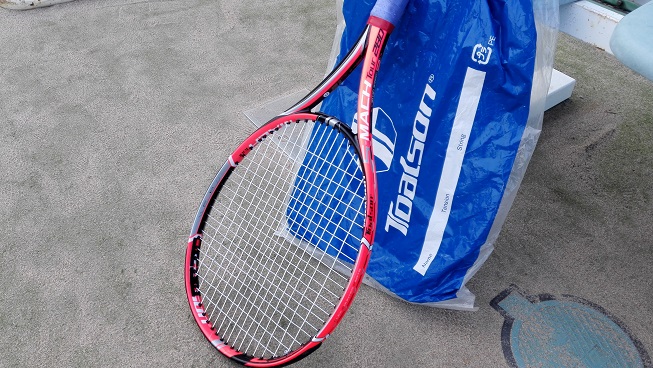
お昼を食べて午後、後輩と練習。
最近忙しいようで後輩とのテニスは久々だが、よりによって24日の前日。
まあ当日ではないにしろ、放っておいてていいのか彼女さん。
ここ数週間は反発力と弾きを求めてメイン:ボルトパワー・クロス:ポリジナモスを使ってみているけど自分には合わない。
ボルトパワーが硬過ぎてポリジナモスの性能が活きていないと思う。
夜、次は父とテニス。
テニス復帰を目論む父は今度はピュアドラにNXTパワーを張るも、全然飛ばないどころかポリジナモスの方が反発力があるとまで言い出す。
弾く打球感が好きらしくマルチで飛んでないのに隙あらばポリを試そうとする。
昔とった杵柄は健在のように見えるし、身体を動かして解せば適応できても不思議ではなさそうだが、うーん、本当にポリ大丈夫なのだろうか。
とまあ、テニスで埋まってしまった休日。
もう体力無いのに身体が悲鳴を上げちまうぜって事で全身をコンプレッションウェアで挑んだが、やはり疲れるものは疲れる。
理想としては強い人と3セットやっても無事に次の試合迎えられるぐらいなら良いのだが。
翌日のダメージはそんなでもないけど、やはり一度試合出て確認しなければ。あとちゃんとジムろう。
クリスマスイブは休日出勤。
実感が沸かないというのはずっと縁が無いからか。
テニスって働いて女ッ気無し。
こういうイベントに疎い自分には、まあ世の人達は凄いなと思うばかり。
いつも自分の事ばっかやって日々過ごしているが、いざ良い人と巡り合えたとして、他人と一緒に過ごすとなるとどうなるのかとか想像つかないというか。
そういうのを分からないって事は世間一般から外れてるって事か。きっと来年もこんなんだろうなと思う。参ったね。












screen capture software
Top Screenshot Tool for Windows 10 and 11
If screenshots are a regular part of your workflow, the standard Windows Snipping Tool soon shows its limitations. Extra steps, no cloud upload, no instant links, and slow interaction make it impractical for modern workflows. A modern screenshot tool must stay out of the way, work fast, and focus on a single process: capture, upload, and share.
This minimal screenshot tool for Windows 10 & 11 is designed precisely for this purpose. Hit PrtScn, choose any screen area, release, and the screenshot is uploaded immediately. A shareable link is automatically copied to the clipboard. No save dialogs, no browsing folders, no manual uploading.
Area capture works precisely and predictably. A clear crosshair selector provides pixel-accurate selection, making it easy to capture UI elements, code fragments, charts, or partial screens — more efficient and reliable than Windows Snipping Tool.
Full screen capture is just as simple. Use Shift + PrtScn for immediate full desktop capture. The output is a full-resolution image suitable for documentation, presentations, or bug reports, without delays or popups breaking the workflow.
The main advantage is instant cloud uploading. Every screenshot is uploaded automatically, and the link is available in milliseconds. You can paste it directly into messengers, emails, or support tickets without dealing with files or third-party image hosts.
The tool works quietly from the system tray and is designed to stay out of your way. Memory consumption remains under 50MB of RAM, launch time is virtually instant, and the installer size is just 2MB. When compared to heavier alternatives like Greenshot, Lightshot, or ShareX, the difference in speed and responsiveness is immediately noticeable.
Privacy is handled correctly. No advertising, no analytics, no tracking, and no background data collection. Screenshots often contain sensitive information, and the application treats them with proper care — and no unnecessary processes running behind the scenes.
Hotkeys are fully customizable. You can map PrtScn, Ctrl+Shift+S, or any custom key combination, and fine-tune image quality and behavior without bloated settings panels or cluttered menus.
Windows Snipping Tool functions, but it stops after capture. It offers no cloud workflow, no instant sharing, and no speed optimization. This tool replaces it by focusing on what truly matters: capturing data and sharing it without delay.
If you capture screenshots daily for development, support, remote work, or documentation — speed and simplicity are essential. A modern screenshot tool should feel like a native system feature, not a standalone app.
screenshot tool The Best Screenshot Utility for Windows 10 & 11 If screenshots are part of your daily workflow the standard Windows Snipping Tool soon shows its limitations. Additional steps lack of cloud uploads no instant links and slow interaction make it unsuitable for today’s workflows. A modern screenshot tool should be unobtrusive fast and designed around a single streamlined flow: capture upload share. This lightweight screenshot tool for Windows 10 and 11 is built specifically around this idea. Hit PrtScn choose any screen area release and the screenshot is uploaded immediately. The shareable link is copied to the clipboard automatically. No save dialogs no browsing folders no manual uploading. Region capture is accurate and consistent. A clean crosshair selector allows pixel-accurate selection making it easy to capture UI elements code fragments charts or partial screens — faster and more dependable than the default Snipping Tool. Full-screen capture is equally straightforward. Press Shift PrtScn to instantly capture the full desktop. The result is a full-resolution image suitable for documentation presentations or bug reports with no interruptions or popups slowing you down. The main advantage is instant cloud uploading. Each screenshot is uploaded automatically with the link ready in milliseconds. You can paste the link directly into chats emails or support tickets without dealing with files or third-party image hosts. The tool works quietly from the system tray and is built to stay unobtrusive. Memory usage stays under 50MB RAM startup is immediate with an installer that is only 2MB. When compared to heavier alternatives like Greenshot Lightshot or ShareX the improvement in speed and responsiveness is instantly noticeable. Privacy is treated properly. There are no ads no analytics no tracking and no background data collection. Screenshots often contain sensitive information and the application treats them with proper care — nothing unnecessary runs behind the scenes. Keyboard shortcuts are fully customizable. You can assign PrtScn CtrlShiftS or any shortcut you want and adjust image quality or behavior without heavy settings panels or cluttered menus. The built-in Windows Snipping Tool works but it stops at capture. It provides no cloud workflow no instant sharing and no performance optimization. This tool serves as a replacement by focusing on what matters most: capturing information and sharing it instantly. If you capture screenshots daily for development support remote work or documentation — speed and simplicity are essential. A modern screenshot tool should feel like a native system feature not a standalone app.
Buy LSD Gel Tabs TRIPPY 420 ROOM operates as a dedicated online psychedelics dispensary focused on offering carefully crafted and top-quality medical products across several product categories. Before purchasing psychedelic cannabis stimulant dissociative or opioid products online users are provided with a clear service structure covering product availability delivery options and support. The platform lists over 200 products in various formats. Shipping is quoted based on package size and destination offering both regular and express delivery options. Orders are supported by a hassle-free returns process and a strong focus on privacy and security. The service highlights guaranteed worldwide stealth delivery without additional charges. Orders are fully guaranteed to ensure uninterrupted delivery. Available products include cannabis flowers magic mushrooms psychedelic items opioid medication disposable vapes tinctures pre-rolls and concentrates. Items are presented with clear pricing and visible price ranges for products with multiple options. Additional informational content is included including references such as “How to Dissolve LSD Gel Tabs” as well as direct options to buy LSD gel tabs and buy psychedelics online. TRIPPY 420 ROOM operates from the United States California and provides multiple contact channels including phone WhatsApp Signal Telegram and email. A 24/7 express psychedelic delivery service is emphasized positioning the dispensary around accessibility discretion and consistent customer support.
fc777 bet offers the best slot machines and generous bonuses for all players. Delving into fc777 uncovers a rich and interesting theme.
Discover all the possibilities of playboy888 apk and enjoy a premium gaming experience with smooth performance exciting gameplay and nonstop entertainment. These efforts contribute to establishing trust with players and maintaining credibility.