

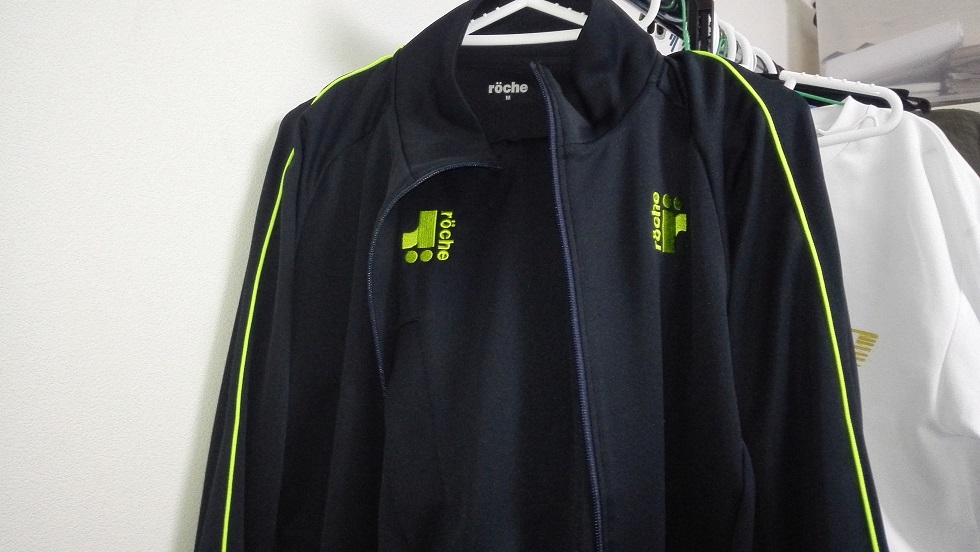
見てくださいよ~ローチェのウォームアップをようやく買えましたよ~。
ゲームウェアは持っていたんですけどね、ウォームアップは少し悩むとすぐ売り切れちゃうから・・・
そんなのを毎年繰り返したせいで秋冬の移動は非ローチェでしたのよぉ・・・
こちらは春夏モデルでジャージなんだけど、画像では地味な紺色1色だなと思っていたら肩にライン入ってますね 。
このラインでちょっとは明るいイメージ出てきますが、ローチェってレディスモデルと比べてメンズが着れるモデルはちょっと攻めが足りないのが最近多い気がする。
ウェアってやっぱレディスの方がバリエーション多いけど、メンズにも冒険心と言いますか、遊び心もっとあっても僕はオーケーです・・・いや、でも自分ももうアラサーだし派手なのは卒業かなぁ・・・。
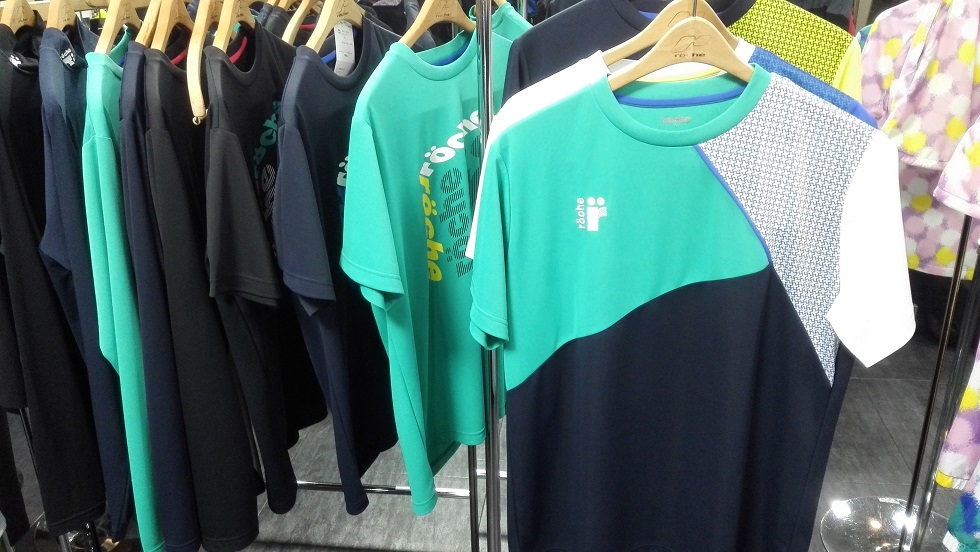
こちらは展示会で出ていたメンズの今年の秋冬モデル、ゲームシャツはこの種類のみ。
デザインも色は明るいけどあまり派手ではなく。
ただ、ローチェの特徴として派手ではなくても柄は毎年凝っている物が多いですね。

好きだったデザインを挙げるとしたらどれだろうな・・・
この写真のは上下は同時期のモデルではなかったんだけど、パンツが縦割りのツートンカラーで遊び心があるなと思って。
ぶっちゃけ使いどころの難しいパンツでセンスどうなの?と思ってましたが(笑)この組み合わせは悪く無さそうじゃないですか?(自画自賛)
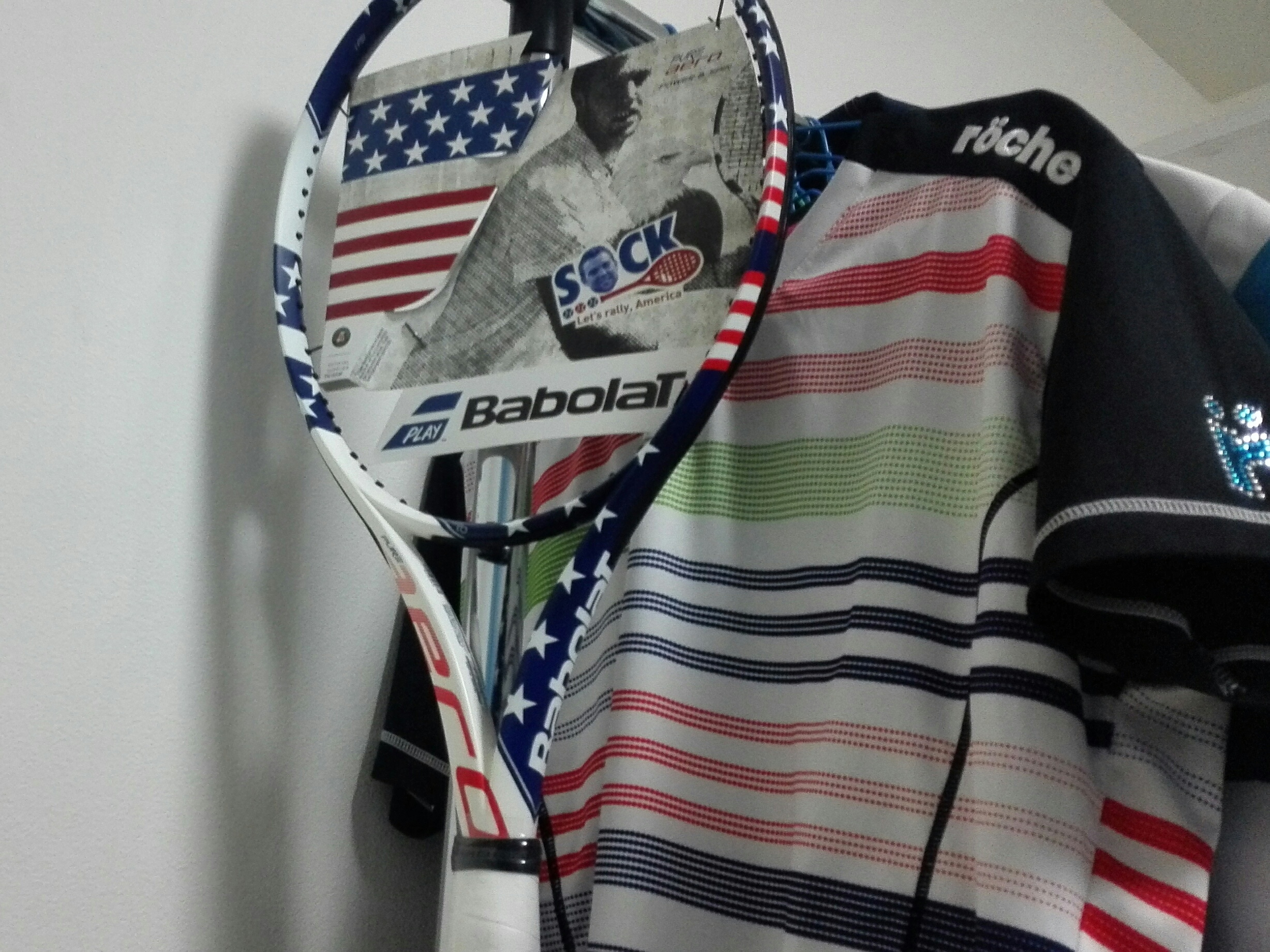
ラケットがメインに写ってますが(笑)
このカラフルな色使いのシャツも好きです。
最初の頃のモデルだったかな?
そうです、陰キャな僕は明るい色に憧れがあるんです・・・

ローチェ以外だとニューバランスのこれが一番好きでした。
アシンメトリーで、好きなグリーンカラーだし、いやはや・・・でもニューバラもこんな感じのはこれっきり出ませんでしたねぇ。
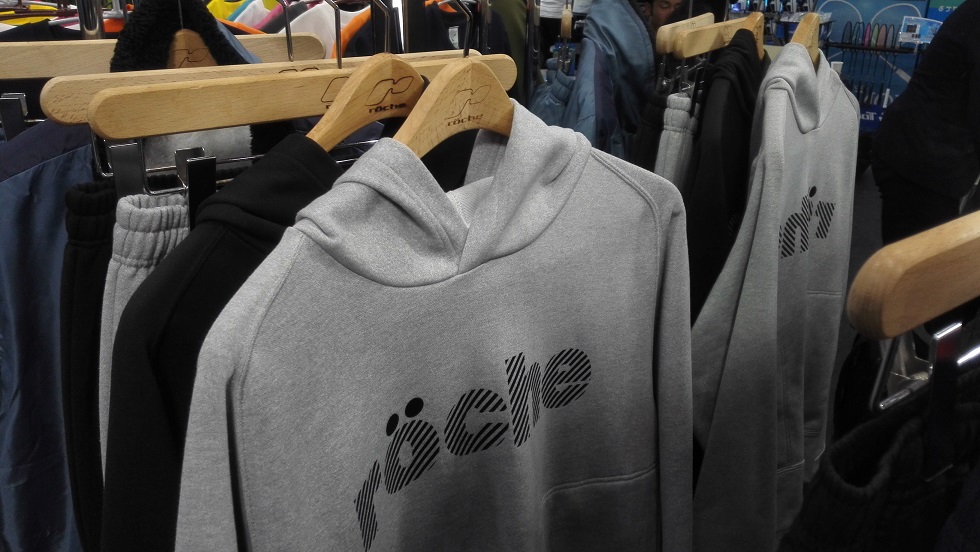
展示会でおおっとなったのはこちらのウェア。
これは19年の秋冬モデル、つまりはつい最近出たばっかなんですけど、例のごとくネットでは既に売り切れ・・・
僕は上のパーカーは買ったんですけど、下どうしようかな~って迷ってたらこの始末・・・
それがですよ、このパーカーは定番品となったようで、今年も継続して販売されるそうです。
刹那で売り切れるのでウォームアップが特に揃わなかった自分にはとても嬉しいです。
でもローチェのウェアを買うには即決力が求められるこの状況、いつまで続くのか・・・取り扱っている店、ネットでもかなり少ないのでは・・・?
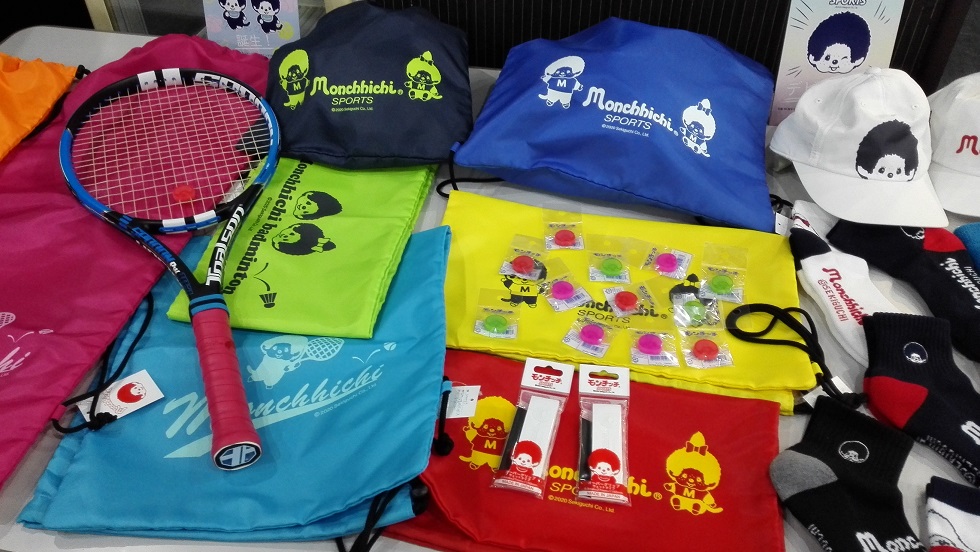
あとウェア関係はですね・・・あ、これはシャツが写ってないですが(爆)
シャツを始めとして、グリップテープや小物類などモンチッチデザインのグッズがトアルソンから出ます。
僕は世代じゃないのでピンと来ませんでしたが・・・(ぇ
でもこういう遊び心も、ウェアか小物か、どこかで持っておきながらテニスしたいですね。












mexican pharmacy prices: mexican pharmacy online – BajaRx Direct
https://certifiednorthrx.com/# Certified North Rx
http://usmedssaver.com/# canadian pharmacy tampa
canadian pharmacy 24h com safe: Certified Canada Rx – Certified Canada Rx
rufus windows 11 Rufus remains a small free open-source utility created to make bootable USB drives. It helps users prepare a USB flash drive that can install an operating system launch diagnostic tools or start a recovery environment. The program works without installation and can be opened immediately after downloading. The main purpose of Rufus is to create bootable USB media from ISO images fast and reliably. This allows users to install or run operating systems directly from a USB flash drive without the need for DVDs. The tool works with a large number of operating systems and service utilities which makes it practical for both regular users and system administrators. Rufus works on computers with Microsoft Windows starting from Windows 7. Both 32-bit and 64-bit versions are supported and there is also a version available for ARM64 architecture. The software lets users create bootable USB drives from many different ISO images. It can be used to prepare a USB drive for installing Windows 11 Windows 10 Windows 8.1 or Windows 7 as well as various Linux distributions. Rufus also works with DOS systems and other recovery or maintenance tools commonly used for troubleshooting computers. One of the built-in features of Rufus is the ability to download official Windows ISO images directly from Microsoft servers. This allows users to obtain original installation images for Windows 8.1 Windows 10 and Windows 11 without searching for them on third-party websites. In addition to creating bootable drives Rufus can format USB devices. It supports several file systems including FAT32 NTFS exFAT UDF and ReFS. This flexibility allows the USB drive to be prepared for different use cases and compatibility requirements. Rufus supports both legacy BIOS systems and modern UEFI environments. Because of this bootable drives created with Rufus can work on older computers as well as newer systems that use UEFI and Secure Boot. Another feature included in Rufus is Windows To Go support. This option allows users to run a full Windows environment directly from a USB drive. It can be useful for testing systems performing maintenance or working on multiple computers without installing Windows on the internal drive. Rufus also provides the option to bypass certain Windows 11 installation requirements. When creating an installation USB the program can disable checks for TPM 2.0 Secure Boot and minimum RAM requirements. This makes it possible to install Windows 11 on computers that would otherwise not meet the official hardware requirements. One of the reasons Rufus has become popular is its speed and simplicity. The program is extremely small about 1.9 MB in size and runs as a portable application without installation. It is distributed under the GPL v3 open-source license supports more than 70 languages and contains no advertisements bundled software or tracking components. Rufus works with a large number of ISO images. These include multiple versions of Windows Windows Server editions FreeDOS and various system tools such as GParted Hiren’s Boot CD Parted Magic and Clonezilla. Because of this wide compatibility the program can be used not only for installing operating systems but also for disk management data recovery and system maintenance tasks. To use Rufus a computer running Windows 7 or later and a USB flash drive are required. The program does not need to be installed. Users simply download the executable file run it select the ISO image they want to use and create a bootable USB drive. Due to its simplicity speed and reliability Rufus remains one of the most widely used tools for creating bootable USB drives.