

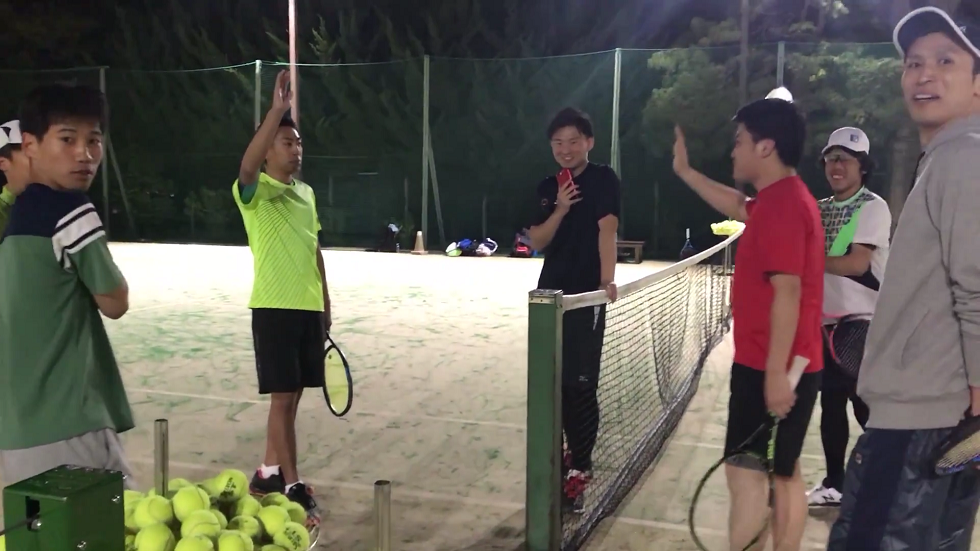
動画よりフライングですけど、先週もイベントでレッスンありましたけど、とうとう第1回目のゴンちゃんのテニスレッスンが始まりました。
タウンテニス大泉学園にメンバー8人勢揃い。
これから月に数回集まって・・・って感じでしばらくやっていくのですが、今の時点で先週根岸に昨日はタウンテニス、どんどんボリュームが膨れ上がってるぞ。
ゴンちゃんのツイートの通り昨日の練習にもゲストにあの方やあの方がいらっしゃいまして、何だかもうレッスン内容が盛り沢山になっていく。
マジでいいんスか!?本当スか!? うおおおおおおおお!?
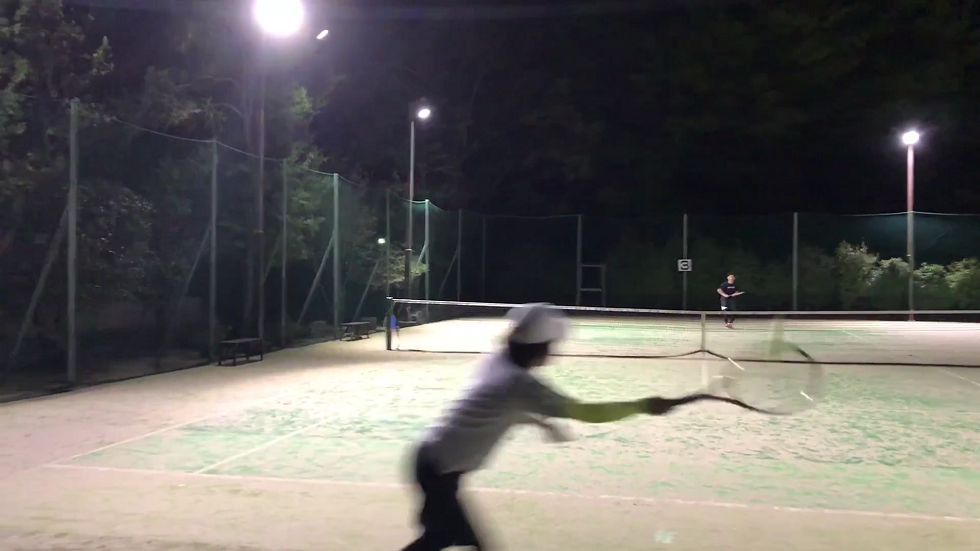
一回目のレッスンはメンバーの現状を知る為にシングルスやらダブルスやらゲーム中心。
ゴンちゃんとの一対一もありましたが・・・はっはっは、僕だとかなり下がってないと反応すらできないよこのサーブ。
1回目のリターンでラケットに当てられたから行けるんじゃ?と思って前進したらコース張った山当たっていたのに動けなかった・・・速度、打点の高さ、軌道の奥行き、鬼や。
しかしメンバーの中にはベースラインで果敢にリターンに挑む猛者もいるんだからな、皆と同じ目線でテニスできるようにならなくては。というか、彼らと打っていたら強制的にレベル引き上げられちゃうと思う。
先週の根岸でのレッスンで確信したんですけど、彼らと練習するには僕だと集中力安定してMAXじゃないとちょいときつめ。
ここまで練習から高めのギアを要求される経験中々無かったな。アルバイトコーチしてた頃の練習以来か、ここまで集中するのは。
良い所見せたかったけど、いや、欲張らず現状の能力を発揮して見てもらわなきゃってところだけど、上手くテンポに乗れずこの日はエラーマシン化。
エラーの数もそうだけど、皆こちらの調子を整える隙を与えてくれるような相手ではなかった・・・やってくれるぜ。
もっと集中、と言うより、こういうレベルとやる事が中々無いのだから、今までのやり方を変えるというか、超えていかなくてはな。
ゴンちゃん頼みだけじゃなく自分の意志も併せて大きく変化していくぜ。












snipping tool alternative Top Screenshot Tool for Windows 10 and 11 If taking screenshots is part of your everyday work the built-in Windows Snipping Tool quickly starts to feel limiting. Multiple steps no cloud support no instant sharing links and sluggish interaction make it inefficient for modern use. A professional screenshot utility should be unobtrusive fast and designed around a single streamlined flow: capture then upload and share. This minimal screenshot tool for Windows 10 & 11 is built specifically around this idea. Press PrtScn select any region of the screen release — and the screenshot is already uploaded. A shareable link is automatically copied to the clipboard. No save dialogs no folders no manual uploads. Area capture works precisely and predictably. A clear crosshair selector provides pixel-accurate selection which makes capturing UI elements code snippets charts or partial screens effortless — faster and more dependable than the default Snipping Tool. Capturing the entire screen is just as easy. Use Shift PrtScn to capture the entire desktop instantly. The output is a full-resolution image perfect for documentation presentations and bug reports without delays or popups interrupting the workflow. The primary benefit is immediate cloud upload. Each screenshot is uploaded automatically and the sharing link available within milliseconds. You can paste the link directly into chats emails or support tickets without touching the file system or third-party image hosts. The application runs silently in the system tray and is built to stay unobtrusive. Memory usage stays under 50MB RAM startup is immediate and the installer is only 2MB. When compared to heavier alternatives like Greenshot Lightshot or ShareX the improvement in speed and responsiveness is instantly noticeable. Privacy is handled correctly. No ads no analytics no tracking and no background data collection. Screenshots often contain sensitive information and this tool handles them appropriately — with nothing unnecessary running in the background. Hotkeys are fully customizable. You can assign PrtScn CtrlShiftS or any shortcut you want and fine-tune image quality and behavior without oversized settings or cluttered interfaces. The built-in Windows Snipping Tool works but it stops at capture. It offers no cloud workflow no instant sharing and no speed optimization. This tool serves as a replacement by focusing on what matters most: capturing data and sharing it without delay. If you take screenshots every day — for development support remote work or documentation — speed and simplicity are mandatory. A modern screenshot tool should feel like a native system feature not a standalone app.
screenshot tool The Best Screenshot Utility for Windows 10 & 11 If screenshots are a regular part of your workflow the standard Windows Snipping Tool soon shows its limitations. Multiple steps no cloud support no instant sharing links and sluggish interaction make it inefficient for modern use. A professional screenshot utility should be invisible fast and optimized around a single flow: capture upload and share. This lightweight screenshot utility for Windows 10 and 11 is designed precisely for this purpose. Press PrtScn select any region of the screen release — and the screenshot is already uploaded. The sharing link is placed in your clipboard automatically. No save prompts no directories no manual file handling. Region capture is accurate and consistent. A clear crosshair selector provides pixel-accurate selection allowing easy capture of interface elements code fragments charts or partial screens — faster and more reliable than the standard Snipping Tool. Full-screen capture is equally straightforward. Use Shift PrtScn to capture the entire desktop instantly. The result is a full-resolution screenshot ideal for documentation presentations or bug reporting with no interruptions or popups slowing you down. The main advantage is instant cloud uploading. Each screenshot is uploaded automatically and the link is available in milliseconds. You can paste it directly into messengers emails or support tickets without touching the file system or third-party image hosts. The application runs quietly in the system tray and is built to stay unobtrusive. RAM usage stays below 50MB launch time is virtually instant and the installer is only 2MB. Compared to heavier alternatives like Greenshot Lightshot or ShareX the difference in speed and responsiveness is immediately noticeable. Privacy is handled responsibly. No ads no analytics no tracking and no background data collection. Screenshots frequently include sensitive data and this tool handles them appropriately — nothing unnecessary runs behind the scenes. Hotkeys can be fully customized. You can map PrtScn CtrlShiftS or any custom key combination and configure image quality or behavior without heavy settings panels or cluttered menus. The default Windows Snipping Tool works but only handles capture. It provides no cloud workflow no instant sharing and no performance optimization. This tool serves as a replacement by focusing on what matters most: capturing information and sharing it immediately. If you take screenshots every day — for development support remote work or documentation — speed and simplicity are not optional. A modern screenshot tool should feel like a native system feature not a standalone app.
Mail Order Psychedelic TRIPPY 420 ROOM is presented as a full-service psychedelics dispensary online focused on offering carefully crafted and top-quality medical products across multiple categories. Before placing an order for psychedelic cannabis stimulant dissociative or opioid products online customers are presented with a clear structure that outlines product availability shipping options and customer support. The store features more than 200 products covering different formats and preferences. Shipping costs are calculated according to package size and destination offering both regular and express delivery options. Orders are supported by a hassle-free returns process with particular attention to privacy and security. The dispensary emphasizes guaranteed stealth delivery worldwide without additional charges. Every order is fully guaranteed to ensure uninterrupted delivery. The catalog spans cannabis flowers magic mushrooms psychedelic products opioid medications disposable vapes tinctures pre-rolls and concentrates. All products are shown with transparent pricing with price ranges displayed for multi-variant products. Informational content is also available such as guides like “How to Dissolve LSD Gel Tabs” as well as direct options to buy LSD gel tabs and buy psychedelics online. The business indicates its office location as United States CA and provides multiple contact channels including phone WhatsApp Signal Telegram and email support. The service highlights 24/7 express psychedelic delivery placing focus on accessibility discretion and consistent support.
Buy Psychedelics Online TRIPPY 420 ROOM operates as a dedicated online psychedelics dispensary with a focus on carefully prepared high-quality medical products across several product categories. Before purchasing psychedelic cannabis stimulant dissociative or opioid products online customers are presented with a clear structure that outlines product availability shipping options and customer support. The platform lists over 200 products across multiple formats. Shipping costs are calculated according to package size and destination with regular and express options available. Each order includes access to a hassle-free returns system with particular attention to privacy and security. Guaranteed stealth delivery worldwide is a core element without additional charges. Orders are fully guaranteed to ensure uninterrupted delivery. The catalog spans cannabis flowers magic mushrooms psychedelic products opioid medications disposable vapes tinctures pre-rolls and concentrates. All products are shown with transparent pricing with price ranges displayed for multi-variant products. Informational content is also available including references such as “How to Dissolve LSD Gel Tabs” and direct access to buy LSD gel tabs and buy psychedelics online. The dispensary lists its operation in the United States California and provides multiple contact channels such as phone WhatsApp Signal Telegram and email. The platform promotes round-the-clock express psychedelic delivery framing the service around accessibility privacy and ongoing customer support.
Discover all the possibilities of playboy888 and enjoy a premium gaming experience with smooth performance exciting gameplay and nonstop entertainment. This ensures that any issues or questions are addressed promptly enhancing user satisfaction.