

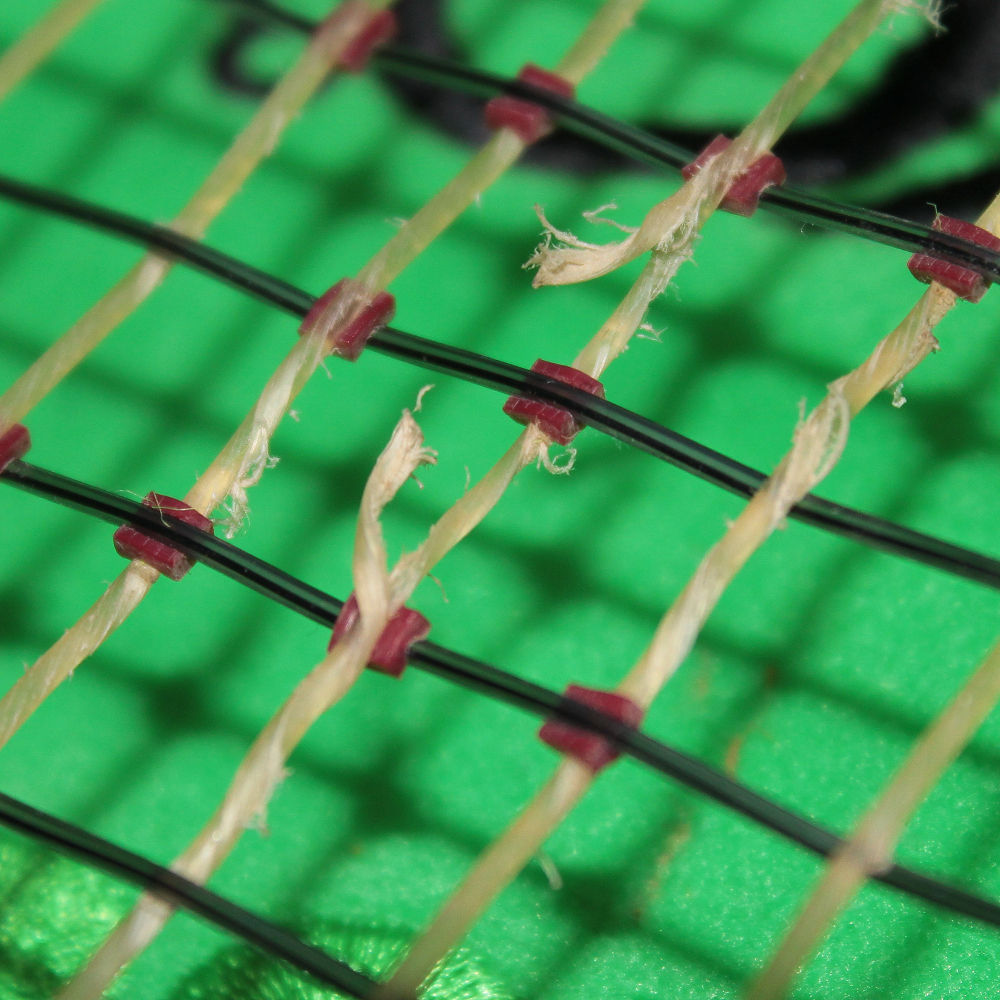
今日は草大会に出る予定でしたが雨で中止でした。
もし雨のタイミングが微妙だったら開催→雨→ナチュラルぶちっのコンボまっしぐらだったと思うので少し安心、試合できなくて結構残念。
本命の大会まであと少しだけどやっぱりサーブの修正×、ネットプレーの錬度×、結局いつもと同じ、ラケットブンブン丸戦法になるんだろうなと思います。
そしてプレーに行き詰ったらいつものようにガット変えたい欲が出てきます。
ルキシロンショット打ちたいなあ、4G嫌いだけど、メイン4Gとクロス4Gラフなら硬さとホールド感が丁度良くなるんじゃないかと考えちゃいましたがコロコロ変える癖は封印しなければ。
昔のテニスを知りませんが、グラファイト使ってたアガシ、チャン、フェレーロらの古い画像を見て、もしやグラファイターは薄い黄色のガットがマストアイテムではないのかと思ったり、それに我らが錦織圭も4Gですから使いたいなと思ってしまうのです。
しかし!感覚変えないよう今回はガットなるべく我慢して、シューズもオムニクレー用が磨り減ってきたからミズノと迷った挙句MC906続投。
でもこんな日でも大会が始まった暁には小雨でも止むの待って午前丸ごと潰したりとか、試合強行とかありえますから、そう考えるともうナチュラルじゃなくていいような・・・。
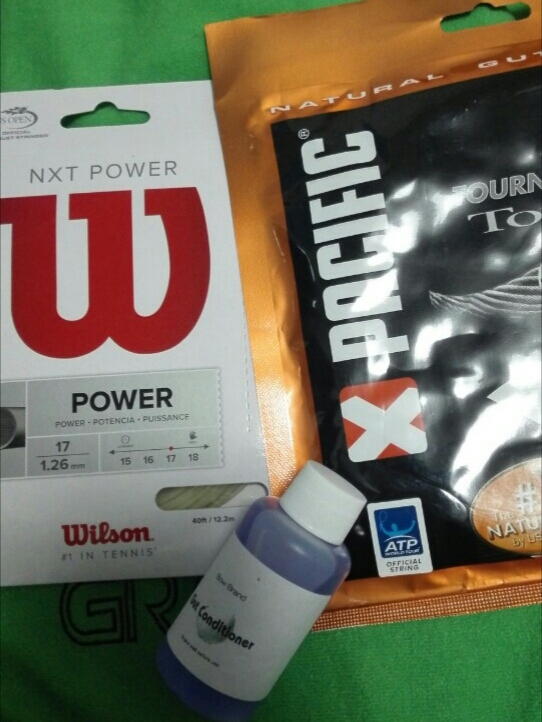
こんな事ならガットケースの肥やしと化しているNXTパワー使っとけば良かったと昨晩になって後悔しましたが、今から張り替えるとしても、種類ごと変えたくなっちゃうからもうちょっと頑張って欲しいなタフガット・・・(無理)
まあ道具より中身がどうにかならなきゃねえ。












vaycasino giriş: vaycasino
canadian pharmacy store: Certified North Rx – Certified North Rx
http://bajarxdirect.com/# online pharmacies
мобильная версия мелбет Установить приложение Melbet: Android iPhone и ПК Мобильная версия Melbet включает букмекерскую контору и казино в одном интерфейсе. Доступны live-ставки казино-игры онлайн-трансляции аналитика и операции по счёту. Загрузка занимает 1–2 минуты. Android APK Загрузите APK с официального сайта откройте файл и подтвердите установку. При необходимости включите доступ к установке сторонних приложений затем авторизуйтесь. iOS iPhone Перейдите в App Store найдите «Melbet» выберите «Получить» после установки выполните вход. ПК Перейдите официальный сайт войдите в личный кабинет и добавьте ярлык на рабочий стол. Браузерная версия функционирует как полноценное приложение. Функционал Live-ставки с мгновенным обновлением линии казино и слоты прямые трансляции подробная статистика push-оповещения быстрая регистрация и круглосуточная служба поддержки. Бонусы После загрузки доступны приветственный бонус акционные коды и фрибеты. Правила начисления определяются регионом. Безопасность Скачивайте только с официальных источников контролируйте адрес сайта не передавайте пароль третьим лицам и включите 2FA. Загрузка выполняется быстро после чего открывается полный доступ Melbet.
rufus Rufus is a lightweight free open source utility designed to make bootable USB drives. It is used to prepare a USB flash drive that can install an operating system run diagnostic tools or boot into a recovery environment. The program requires no installation and can be launched immediately after downloading. The primary purpose of Rufus is helping users to create bootable USB media from ISO images quickly and reliably. This lets people install or run operating systems directly from a USB flash drive without the need for DVDs. The tool supports a large number of operating systems and service utilities which makes the program useful for both regular users and system administrators. Rufus works on computers with Microsoft Windows starting from Windows 7. Both 32-bit and 64-bit versions are supported and there is also a version available for ARM64 architecture. The software allows users to create bootable USB drives from many different ISO images. It can be used to prepare a USB drive for installing Windows 11 Windows 10 Windows 8.1 or Windows 7 as well as various Linux distributions. Rufus also works with DOS systems and other recovery or maintenance tools commonly used for troubleshooting computers. One of the built-in features of Rufus is the ability to download official Windows ISO images directly from Microsoft servers. This allows users to obtain original installation images for Windows 8.1 Windows 10 and Windows 11 without searching for them on third-party websites. In addition to creating bootable drives Rufus can format USB devices. It supports several file systems including FAT32 NTFS exFAT UDF and ReFS. This flexibility allows the USB drive to be prepared for different use cases and compatibility requirements. Rufus supports both legacy BIOS systems and modern UEFI environments. Because of this bootable drives created with Rufus can work on older computers as well as newer systems that use UEFI and Secure Boot. Another feature included in Rufus is Windows To Go support. This option allows users to run a full Windows environment directly from a USB drive. It can be useful for testing systems performing maintenance or working on multiple computers without installing Windows on the internal drive. Rufus also provides the option to bypass certain Windows 11 installation requirements. When creating an installation USB the program can disable checks for TPM 2.0 Secure Boot and minimum RAM requirements. This makes it possible to install Windows 11 on computers that would otherwise not meet the official hardware requirements. One of the reasons Rufus has become popular is its speed and simplicity. The program is extremely small about 1.9 MB in size and runs as a portable application without installation. It is distributed under the GPL v3 open-source license supports more than 70 languages and contains no advertisements bundled software or tracking components. Rufus works with a large number of ISO images. These include multiple versions of Windows Windows Server editions FreeDOS and various system tools such as GParted Hiren’s Boot CD Parted Magic and Clonezilla. Because of this wide compatibility the program can be used not only for installing operating systems but also for disk management data recovery and system maintenance tasks. To use Rufus a computer running Windows 7 or later and a USB flash drive are required. The program does not need to be installed. Users simply download the executable file run it select the ISO image they want to use and create a bootable USB drive. Due to its simplicity speed and reliability Rufus remains one of the most widely used tools for creating bootable USB drives.